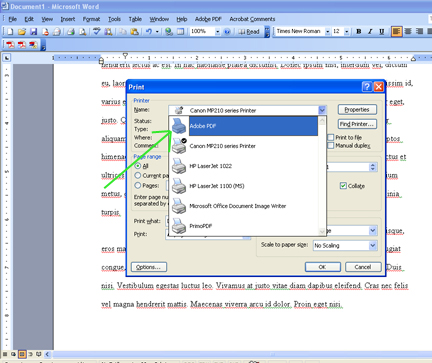
If you have Adobe Acrobat, simply open the word document your student sent you, Then go to File-->Print-->and find "Adobe PDF" under "Printer" "Name:" Once you've chosen "Adobe PDF" from the drop down menu, click "OK."
If you have Adobe Acrobat, simply open the word document your student sent you,
Then go to File-->Print-->and find "Adobe PDF" under "Printer" "Name:"
Once you've chosen "Adobe PDF" from the drop down menu, click "OK."
Next>>>