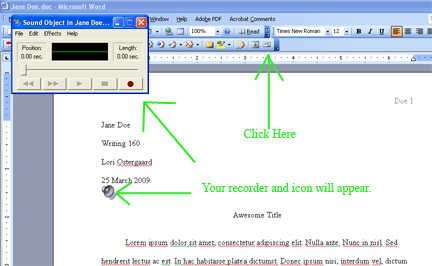
Put your cursor where you want the sound icon to appear on the student's paper. For this example, I chose the line just below the date and above the paper's title.
Then click on the new Voice Comment button you just installed. Both your voice recorder and the sound icon will appear.