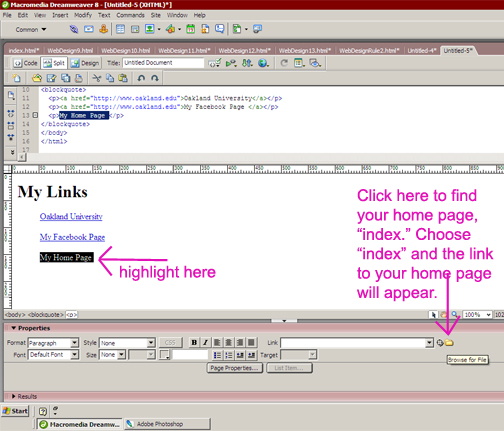
On your links page, type in the phrase "My Home Page" and highlight this text.
To the right of the link box, you'll see a yellow folder. Click on this folder, find your folder on the desktop, click on your homepage, which is called "index."
Save this new page. & go back to your index page so we can link it to the new page you just created.
Once you're back on your home page, type in "My Favorite Links" and highlight this text. To the right of the link box, you'll see that same yellow folder. Click on this folder, find your folder on the desktop, click on your links page.
Save your work & preview in browser to see if the links work.