Now type in Oakland University.
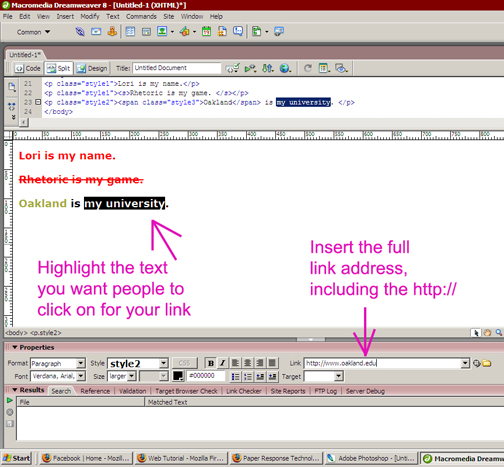
Highlight Oakland University.
We're going to make a link.
You can do this two different ways...your choice
1. In the link box at the bottom of the screen type in http://www.oakland.edu
When you're done typing that in, click anywhere on the page to get out of the link box.
OR
2. Highlight Oakland University. Go up to the top of the screen and click on Insert-->Hyperlink. In the box that appears, type in http://www.oakland.edu.