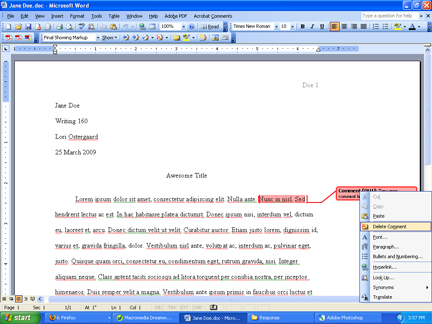
If you make a mistake and want to delete a comment, or if your students wish to delete your comments after they've addressed those comment, simply right click on the comment and click on Delete Comment.
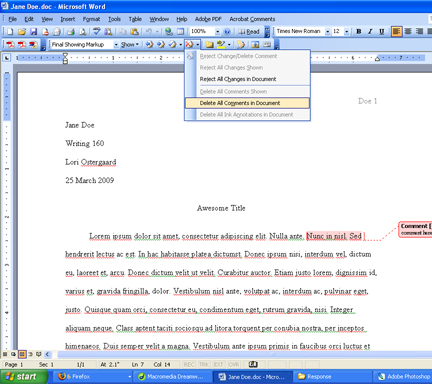
Or you could delete all of the comments in a document at once by going to the Reviewing panel and choosing the highlighted option below.

And clicking on "Delete All Comments in Document."