You've tried and tried to record, and the recorder bar appears, but nothing records. The issue is probably related to the volume settings on your computer, but you may also need to enable recording as well. We can fix both problems pretty simply.
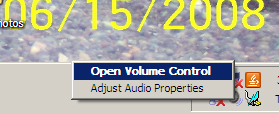
Let's start with volume. Right click on the speaker at the bottom right corner of your desktop and open the volume control panel.
Make certain that the mute boxes are unchecked. Make certain that the volume bars are all positioned towards the top.
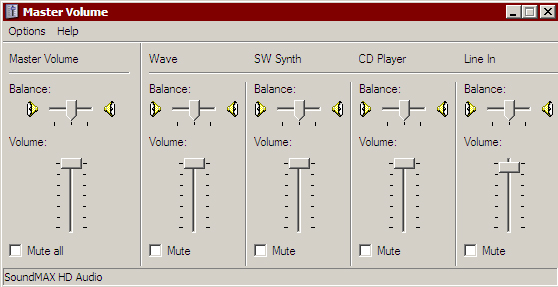
While you're in Master Volume, let's check your recording options as well. At the top of this panel you'll see Options and Help. Go to Options-->Properties.
This will open a new panel. Click the dot next to Recording.
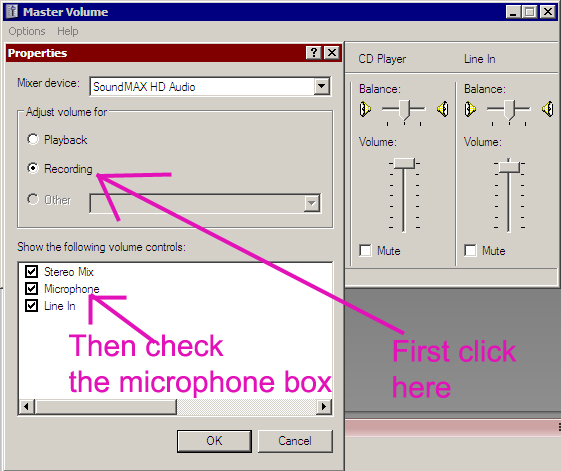
Once you've clicked on "Recording," three options will appear. Check the microphone option, close out of these panels and see if you can record now.